

Why did my delivery date change?
If your item was placed on hold and you requested more time to update your order, it will be taken out of the printing queue and your delivery time will be impacted. Once your item is placed back in the print queue, you will receive an update on your new delivery timeline.
Why did my order go to print without my approval?
To meet your delivery date, it was necessary to send your order to print. We place all projects on an initial 18-hour hold after the order is submitted to help ensure timely delivery. During this time, you may log in and request additional time if needed.
If no changes are requested or no additional hold is authorized before the hold window expires, your order will be sent to print as submitted. Once printing has begun, we are unable to cancel or make changes to the item. We apologize for any inconvenience this may cause.
I want this cling to go inside the window - can I do that?
Yes! When ordering, select either front or back adhesive, depending on where you want to place your item. Front or back adhesive is only available for Clear Clings.
Will this file work?
It depends on the file - if it still appears unfixed, we request a new file.
Can I change the size / product / material / adhesive / orientation of my order?
Unfortunately, we cannot update the conditions of any product once an order has been placed.
In order to make a change, you will need to cancel the existing order and place a new one with the updates applied. This can only be done if the order has not already been printed."
If my font is too small/ thin, will changing the product size fix it?
Changing the size of the product may help, but would require cancelling the order and resubmitting it with the new size. Additionally, the change required may be significant, disrupting the intended use.
Instead, we recommend changing the text size on the image itself and reuploading the image. You can do this without cancelling your order and can maintain your position in the print queue. If you require assistance with this, our design team may be able to help, though this will require cancelling the original order and may come with an additional fee. "
Can you make the necessary design updates for me?
If you would like your artwork adjusted by our team, you will need to cancel your original order and request a custom order through our Product Team. You will be provided a quote that includes the Art Services fee before the new order is processed.
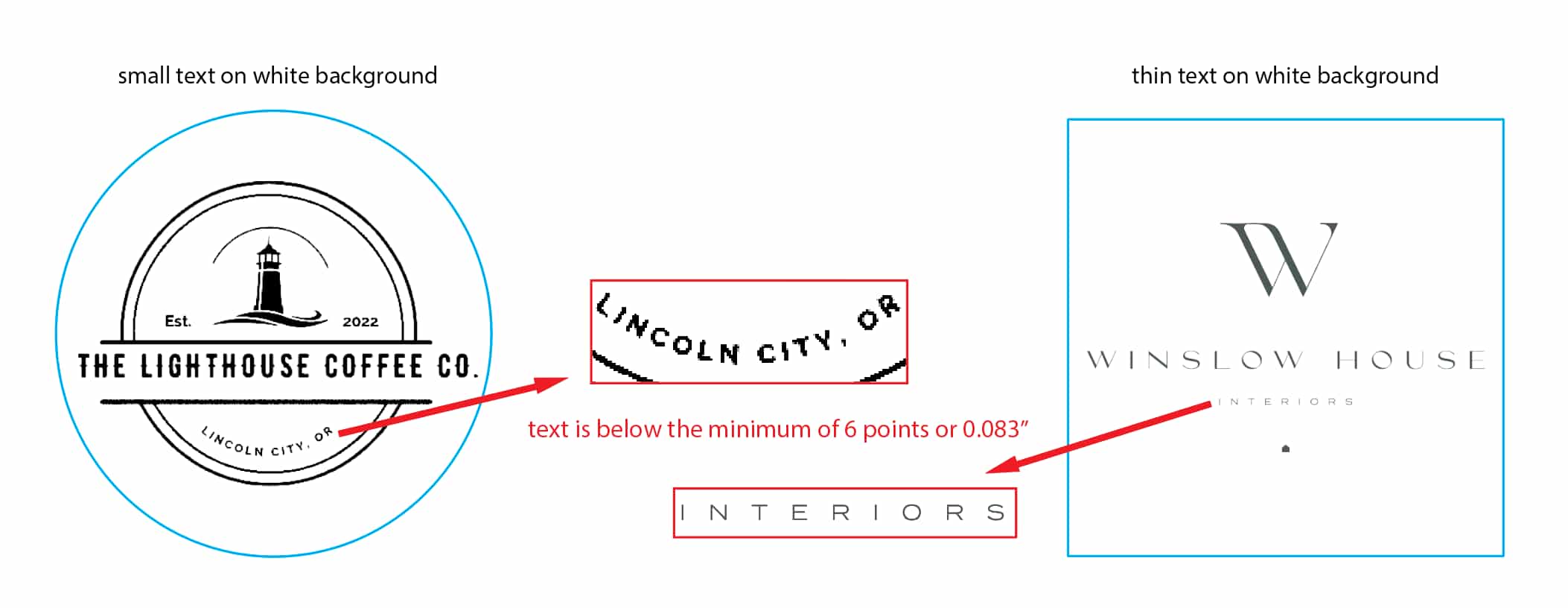
I got a notice that my text is too small. Will it be legible if I don't fix it?
Maybe, but it is not ideal and you may be disappointed in the results. We set our benchmarks based on thousands of print tests - we recommend making a change to ensure the best results. The font should be at least size 8 pts or 2.822 mm at the print size.
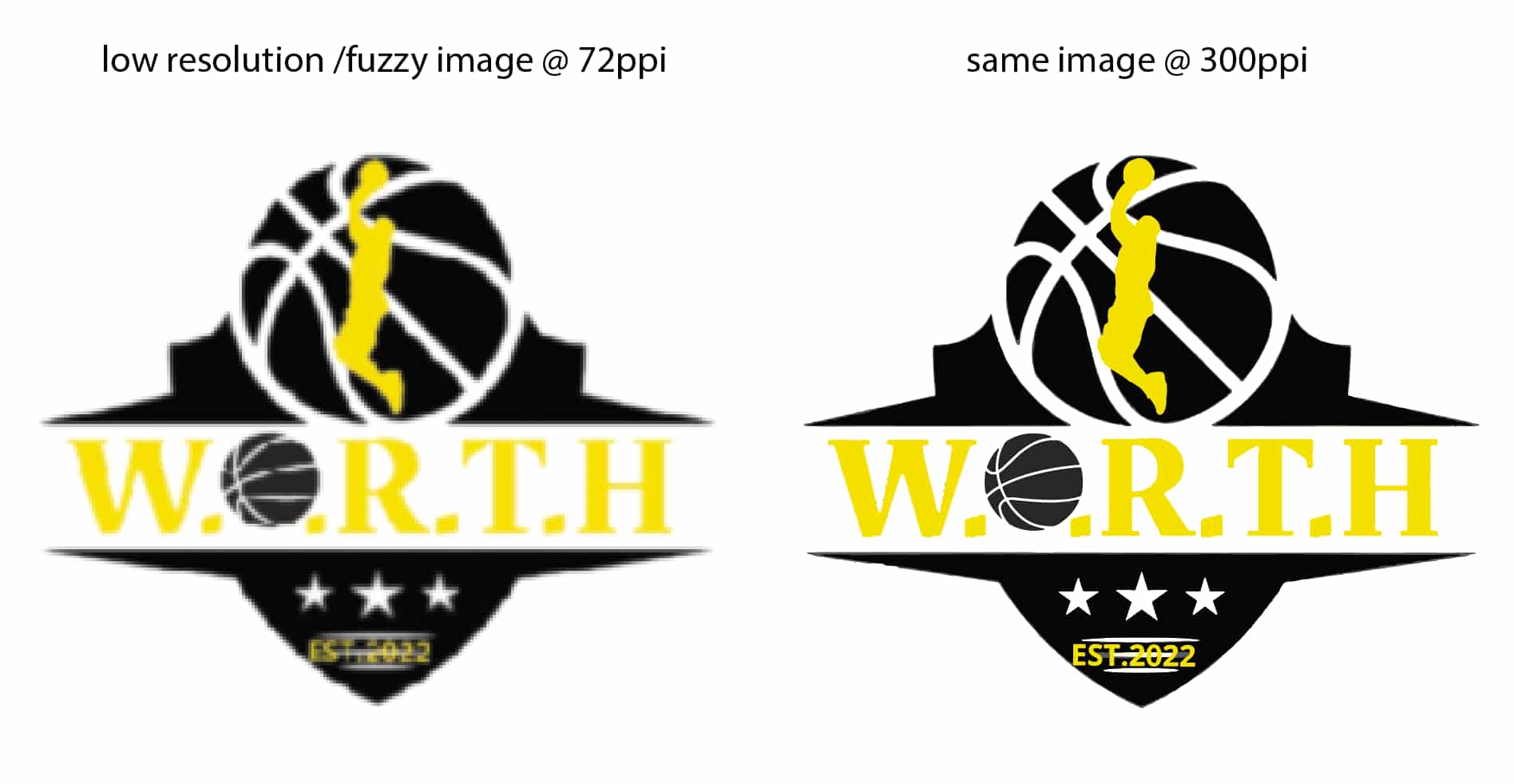
My resolution is too low - how do I know what size should I change my image to?
We recommend a DPI of 300 to 350 for your image to print clearly. To determine the size your file needs to be in pixels, you can multiply the final size in inches by 300. For example a 3"x 3" sticker, multiplied by 300 means you need a minimum file size of 900 x 900 pixels.
What does [insert proportions message] mean
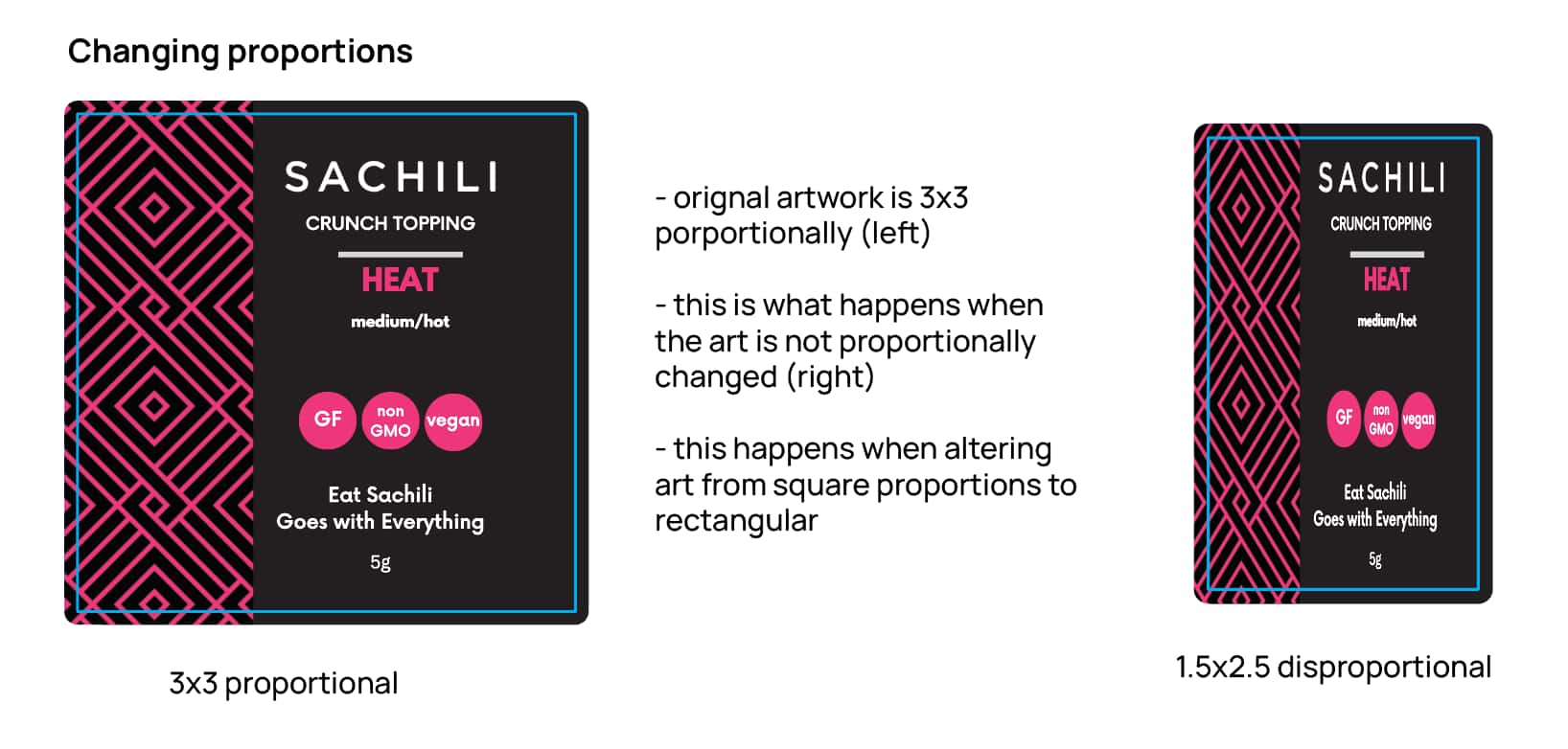
This means the shape of your image does not match the shape of the product you have ordered. Your artwork is either too large or too small for the product you've selected, and it should be resized for optimal results.
I don't want any border or my product. Is this possible?
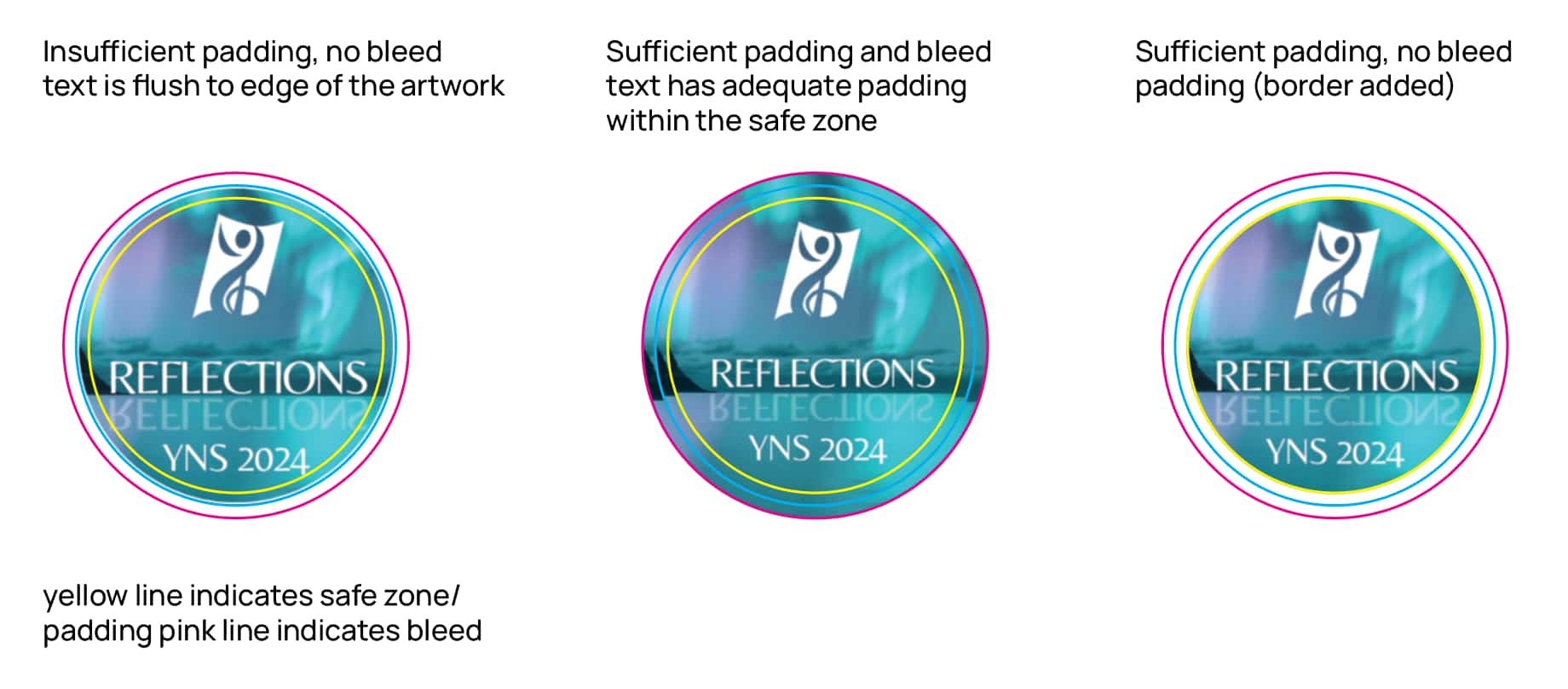
Sometimes. We can extend the background color to the edge of your print for some artwork resulting in a clean and borderless look. For others, the shape is too intricate for the machine and getting too close risks cutting into your design and will need at least 0.07" bleed.
What is bleed?"
Bleed is the extra space between your design and the cut edge of your product. Some products require more space in order for the cut lines to be precise and not damage your design.
What does it mean that clear areas are not visible?
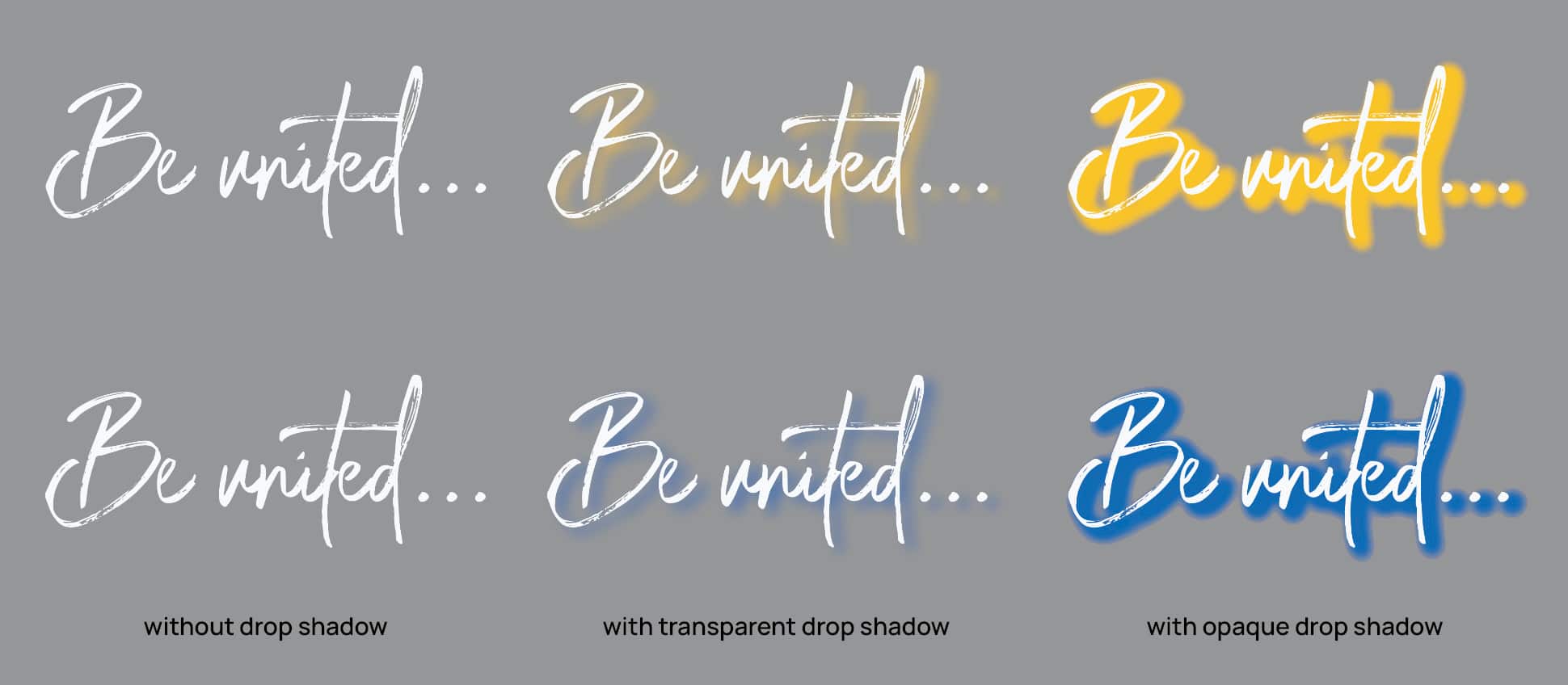
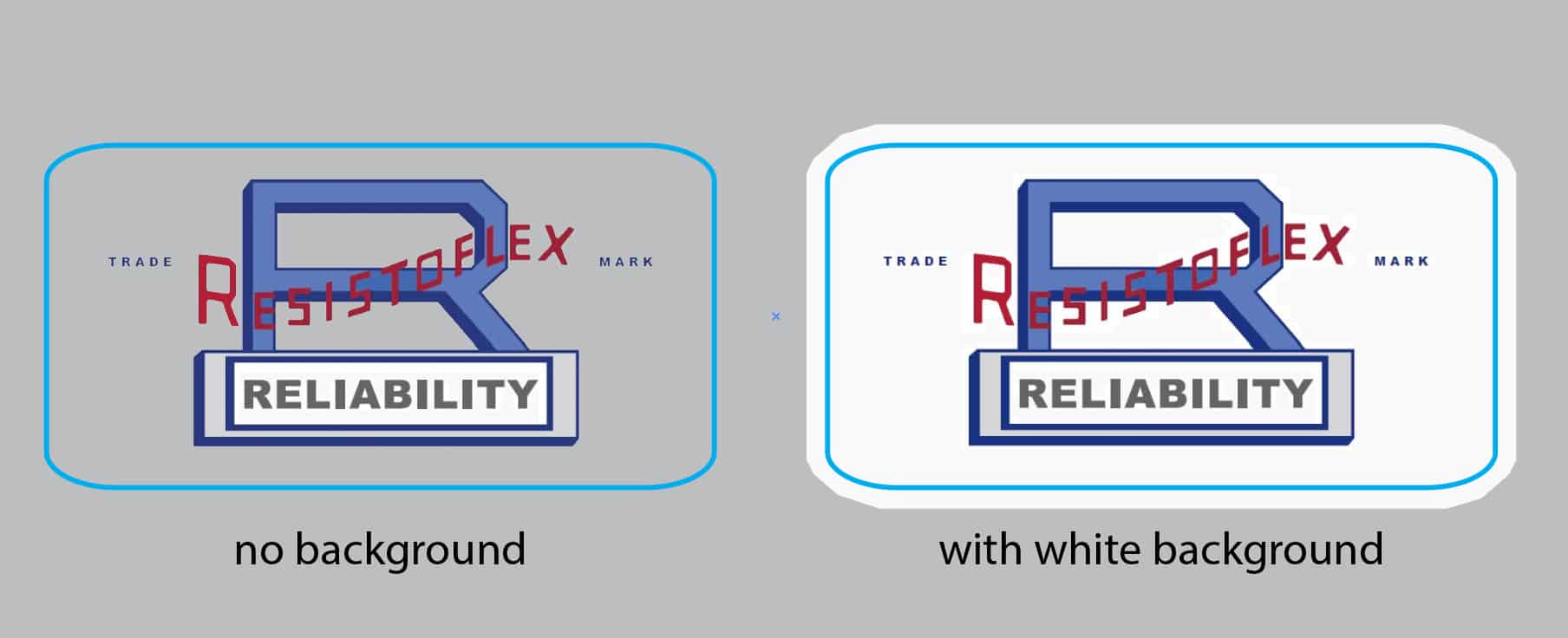
You have selected a clear material, but the design does not include any transparent areas. "Keep white" may have been selected, making white areas opaque. Please check your image file or upload a new one with transparency selected.
What does it mean that material areas are not visible?
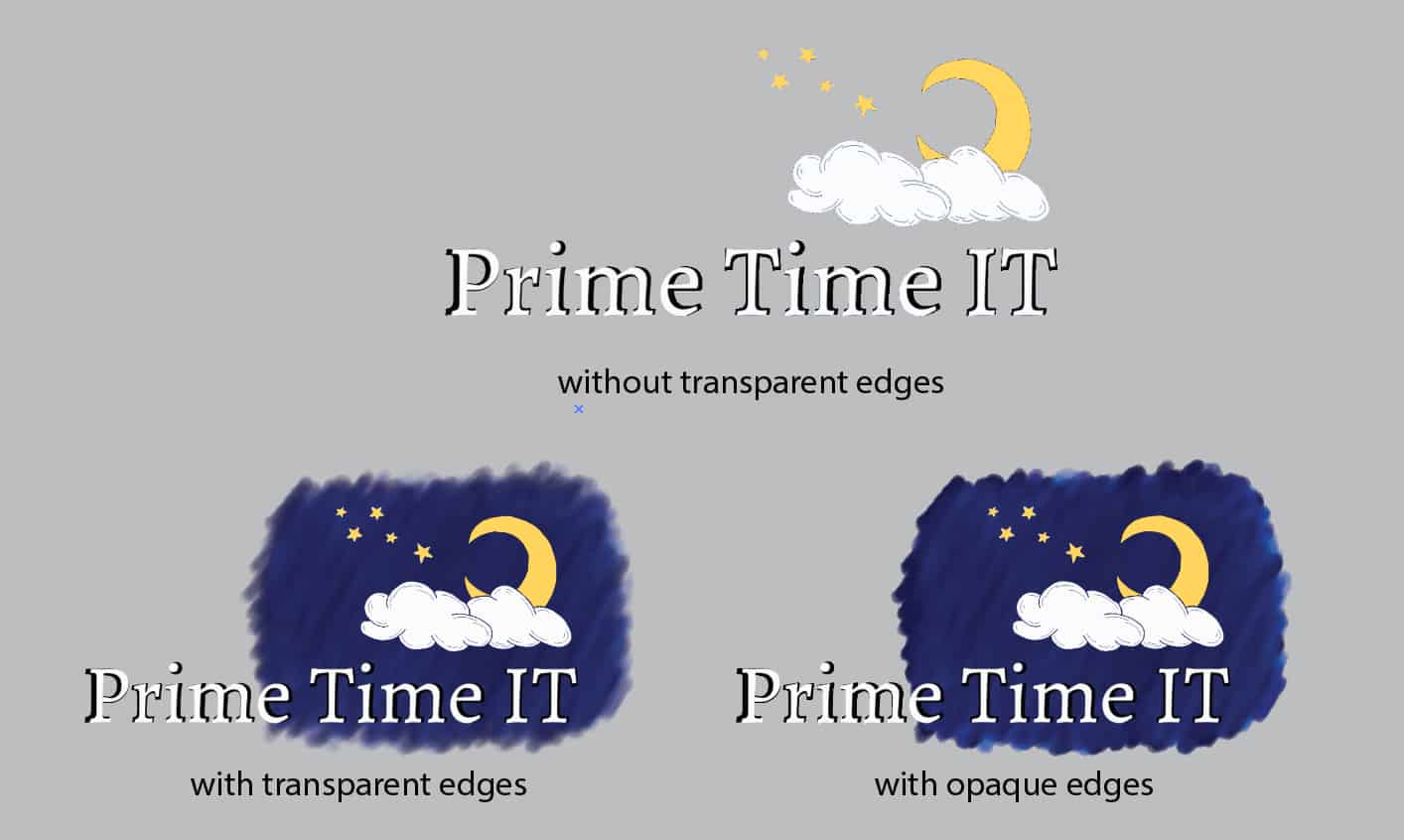
You have selected a metallic, glitter or holographic material, but the design does not include any transparent areas to allow the background to show through. "Keep white" may have been selected, making white areas opaque. Please check your image file or upload a new one with transparency selected.
What does line thickness mean and why does that impact clarity of my design?
Line thickness is how wide a print line is. For text or other design elements, a line that is too thin may be blurred or in the case of UV DTFs, may cause breakage. Different materials require different thicknesses, but we recommend at least 0.16" or 0.41cm thickness at print size.
